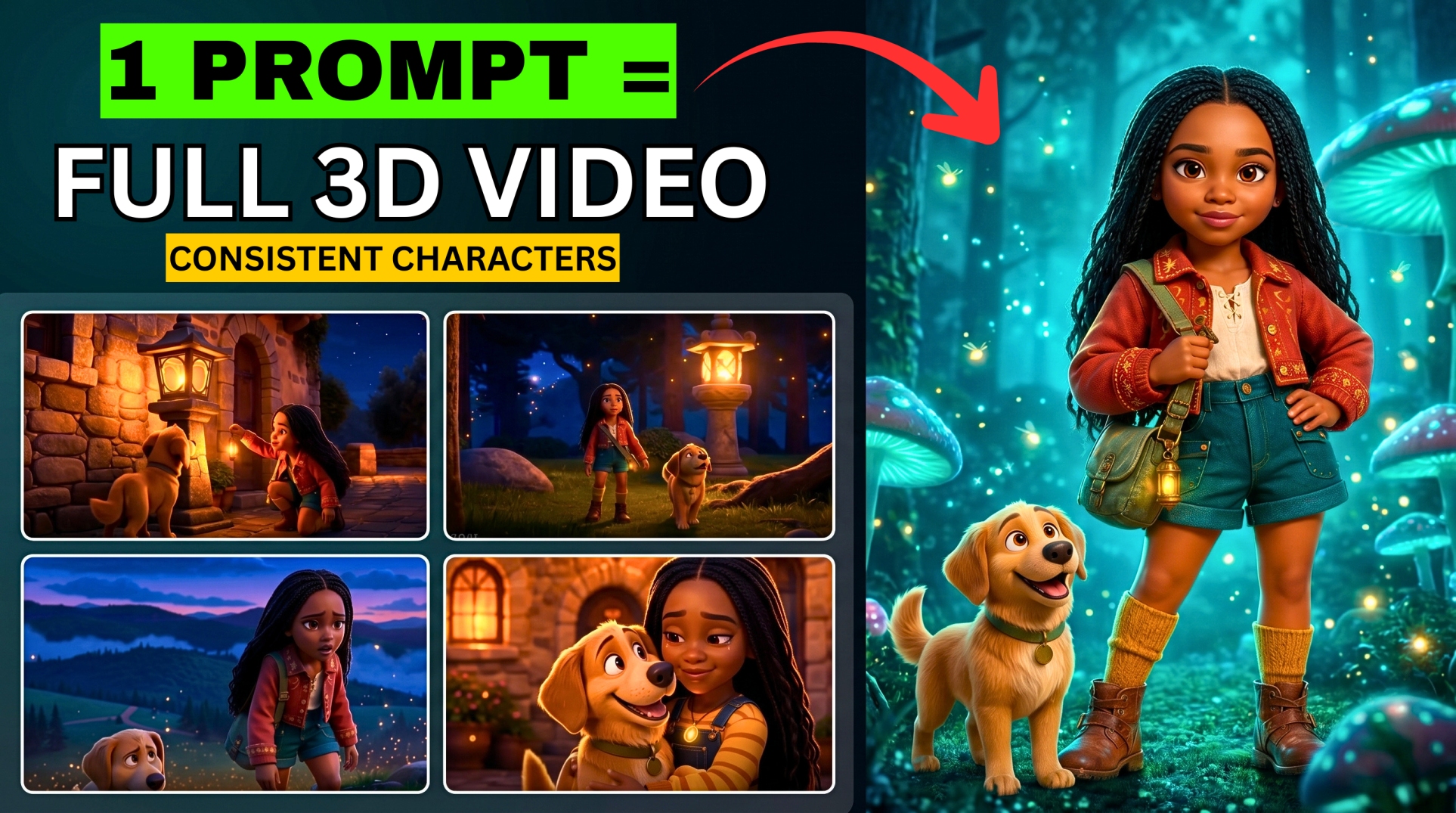



This Free AI Tool Generates Full 3-Minute Cinematic Videos — No Skills Needed
Tired of AI video generators that only give you 8 or 10-second clips? The ones that charge a fortune just to deliver low-quality results with heavy watermarks?
- This Free AI Tool Generates Full 3-Minute Cinematic Videos — No Skills Needed
- What Is MovieFlow AI?
- How to Get Started with MovieFlow AI
- Method 1 — Agent Mode (Text Prompt to Full Video)
- Method 2 — Template Mode (Inspiration Lab)
- 🎃 Halloween / Narrative Templates
- 📚 Education Templates (Including Kids)
- 🎵 Music Video Templates
- 🎌 3D Anime Templates
- MovieFlow AI Template Categories at a Glance
- About the Watermark
- Why MovieFlow Stands Out
I just found a brand new, 100% legal tool that can generate full 3-minute cinematic videos for free. It’s called MovieFlow AI — and it takes a completely unique approach.
Unlike other AI video generators, MovieFlow lets you create full video content without any upfront payment. Powered by a smart AI video agent and ready-to-use templates, it can generate videos up to 3 minutes long for free — with payment only required if you want to remove the watermark for commercial use.
That means you can create entire stories, complete scenes, ads, music videos, 3D anime, and education content — with zero special skills.
🎬 Watch the full tutorial here:
💡 All prompts used in this tutorial are in the video description or pinned comment above.
What Is MovieFlow AI?
MovieFlow AI is a free AI video generation platform with two main creation modes:
- Agent Mode — give it a text prompt and it generates the entire video automatically
- Inspiration Lab — use ready-made templates for specific video types
Templates available include:
More EV News

- 🎵 Music Videos
- 📚 Education (including kids content)
- 🎃 Halloween / Narrative
- 📢 Commercial / Advertising
- 🎌 2D and 3D Anime
💡 The watermark-free version requires a paid plan — but you can also remove watermarks using a separate free AI tool if needed.
How to Get Started with MovieFlow AI
- Visit the MovieFlow AI website (link in the video description)
- Click “Sign Up” and register with your Google account
- Once inside, you’ll see the full dashboard with Agent Mode and all templates
- Switch to Desktop Mode for the best experience
Method 1 — Agent Mode (Text Prompt to Full Video)
Agent Mode is where you give MovieFlow a text prompt and it handles everything — script, visuals, scenes, and editing — automatically.
How to Use Agent Mode:
- Click on Agent Mode from the dashboard
- Type your prompt in the input field (prompts are available in the video description)
- Click Settings to configure:
- Aspect Ratio — choose based on your platform (16:9 for YouTube, 9:16 for TikTok)
- Video Duration — options from 8 seconds up to 2 minutes, or leave on Auto to let the AI decide the appropriate length
- Language — English or your preferred language
- Click Generate and wait for MovieFlow to create your video
The result is a fully generated video — up to 2 minutes long — created entirely from your text prompt. No editing, no scene-by-scene work, no manual assembly required.
Method 2 — Template Mode (Inspiration Lab)
The Inspiration Lab gives you pre-built templates for specific video styles. Each template comes with instructions and sometimes requires you to upload a photo or fill in specific details.
Here’s how to use each template category:
🎃 Halloween / Narrative Templates
- Go to Inspiration Lab and select the Halloween category
- Browse the available templates and select one
- Read the instructions attached to the template carefully
- Upload a personal photo if the template requires one
- Type your custom prompt (example: “I want to date a vampire with blue eyes”)
- Hit Generate
MovieFlow will place your photo into the template’s cinematic scene and generate a personalized narrative video around it.
📚 Education Templates (Including Kids)
Perfect for creating educational content, explainer videos, or kids learning videos.
- Go to Inspiration Lab and click Education
- Select the Kids template
- The template instruction will show you the format — for example: “How to spell a word”
- Type your prompt following the format (example: “How to spell a word. [Big Wiz Media]”)
- Hit Generate
The result is a fully animated kids educational video — complete with characters, text, and narration — generated in minutes.
🎵 Music Video Templates
- Go to Inspiration Lab and click Music Video
- Browse the style options and select the one that matches your vision
- Paste your music video prompt into the field
- Adjust aspect ratio if needed
- Hit Generate and download when done
MovieFlow generates a full cinematic music video with visuals that match the mood and energy of your prompt — no footage shooting required.
🎌 3D Anime Templates
- Go to Inspiration Lab and click 3D then select 3D Anime
- Browse the available anime style options and pick one
- Paste your story or scene prompt
- Select your aspect ratio and language (default settings work well)
- Hit Generate
The output is a full cinematic 3D anime-style video — complete with character animation, dramatic scenes, and cinematic storytelling — all from a single text prompt.
MovieFlow AI Template Categories at a Glance
| Template | Best For | Upload Required? |
|---|---|---|
| Agent Mode | Any video from a text prompt | No |
| Halloween / Narrative | Story videos with your photo | Yes (personal photo) |
| Education (Kids) | Learning videos, spelling, concepts | No |
| Music Video | Cinematic music visuals | No |
| 3D Anime | Anime-style story videos | No |
| Commercial | Product and brand ads | No |
About the Watermark
MovieFlow AI is free to use for creating and previewing videos. Here’s how the watermark works:
- Free plan — videos include a watermark
- Paid plan — removes the watermark for commercial use
- Alternative — you can also remove the watermark using a separate free AI watermark removal tool without subscribing
For testing, learning, and non-commercial content, the free plan gives you everything you need.
Why MovieFlow Stands Out
| Feature | Most AI Video Tools | MovieFlow AI |
|---|---|---|
| Max free video length | 8–10 seconds | Up to 3 minutes |
| Requires credits | Yes | No (free tier) |
| Templates included | Rarely | Yes — multiple categories |
| Skills required | Some | None |
| Personal photo integration | No | Yes (narrative templates) |
| 3D Anime support | No | Yes |
Found this helpful? Subscribe to BigWizTV on YouTube for more free AI tool discoveries every week. Drop a comment — which MovieFlow template are you trying first?