


One AI Agent. One Prompt. Cinematic Film + Product Ad + Full Business Loop.
You’ve got ChatGPT for text. MidJourney for images. CapCut for videos. Some other tool for ads. Another for your brand kit. And you’re still the one stitching it all together — copy-pasting context from tab to tab, paying for five, six, seven subscriptions, starting from scratch every single time.
- One AI Agent. One Prompt. Cinematic Film + Product Ad + Full Business Loop.
- What Makes Supercomputer Different from Every Other AI Agent
- Getting Started with Higgsfield Supercomputer
- Live Demo 1 — Cinematic Short Film From One Prompt
- Step 1 — Submit Your Prompt
- Step 2 — Answer the AI’s Clarifying Questions
- Step 3 — Choose Your Characters
- Step 4 — Choose Your Locations
- Step 5 — All 8 Scenes Generate Simultaneously
- Live Demo 2 — TikTok UGC Ad Rebuild (Frame-by-Frame)
- Live Demo 3 — Custom Product Commercial (Your Own Brand)
- What Supercomputer Can Do for Your Entire Business
- Supercomputer Integrations
- Why This Changes Everything
That’s not a workflow. That’s a second job.
Higgsfield Supercomputer closes that loop entirely. One agent. Every frontier model — GPT, Claude, Gemini, Grok. 27 platform integrations. One sentence.
In this tutorial I’ll show you live what that actually looks like — from a cinematic short film to a frame-by-frame TikTok ad rebuild to a full custom product commercial, all from single prompts.
🎬 Watch the full tutorial here:
💡 Try Higgsfield Supercomputer here: https://higgsfield.ai/s/supercomputer-bigwizmedia-soSIed
What Makes Supercomputer Different from Every Other AI Agent
1. It Keeps the Picture
Every other AI agent loses visual context. You drop in a TikTok URL — they screenshot it, describe it in text, and throw the actual video away. What comes back is generic.
Supercomputer keeps the picture:
More EV News

- Frame-by-frame visual analysis
- Audio track analysis
- Hook detection — finds the exact moment the hook lands
- Pacing and composition extraction
So when you drop in a viral TikTok and say “adapt this with my product”, it rebuilds it scene by scene — not description to prompt. The actual visual loop.
2. Long-Form Consistency (Soul ID)
The industry cracked 5-second clips. The hard part is keeping the same face, outfit, and lighting across 50 chunks of a podcast or film.
Supercomputer handles this with Soul ID:
- Persistent face identity across scenes
- Element binding for wardrobe and props
- Persistent storyboard sheets for continuity at scale
Feature-length cinema from one prompt. Hour-long podcasts from one prompt.
3. Automatic Model Routing
Every prompt is automatically routed to the best model for that specific task — no model selection, no prompt engineering, no manual stitching. Gemini acts as the orchestrator and selects from Claude, Sonnet, Grok, and all Higgsfield tools automatically.
Getting Started with Higgsfield Supercomputer
- Visit higgsfield.ai (link in video description)
- Navigate to the Supercomputer feature
- The dashboard greets you: “What are we creating today?”
Available Creation Modes:
- Personal Clipper
- Build with Skills
- Create UGC
- Run Marketing
- Shoot Cinema
- Animate
- And many more
Right Panel Features:
| Feature | What It Does |
|---|---|
| New Task | Start a fresh creation |
| Search | Search your previous work |
| Skills | Train the AI to replicate your specific workflow |
| Connections | Link external apps (Telegram, Google Drive, Google Docs, WhatsApp Business) |
| Files | All generated assets stored here |
| Memory | Create custom memory parameters or import from other AI apps |
Live Demo 1 — Cinematic Short Film From One Prompt
Step 1 — Submit Your Prompt
Type your concept. Example: “Create a cinematic short film.” Leave default model settings and click Run.
Step 2 — Answer the AI’s Clarifying Questions
The supercomputer asks guided questions throughout:
Q: “Would you like to build character and location assets using Soul ID models?” Click “Yes, Create Characters and Locations” then Continue
Step 3 — Choose Your Characters
The AI generates multiple character variants showing face and back views. Click to lock in your preferred lead character.
Step 4 — Choose Your Locations
Select your starting location (example: cluttered apartment) and ending location (example: sleek glass high-rise office).
Step 5 — All 8 Scenes Generate Simultaneously
All scene frames generate at once — establishing every environment that will be animated into the final film.
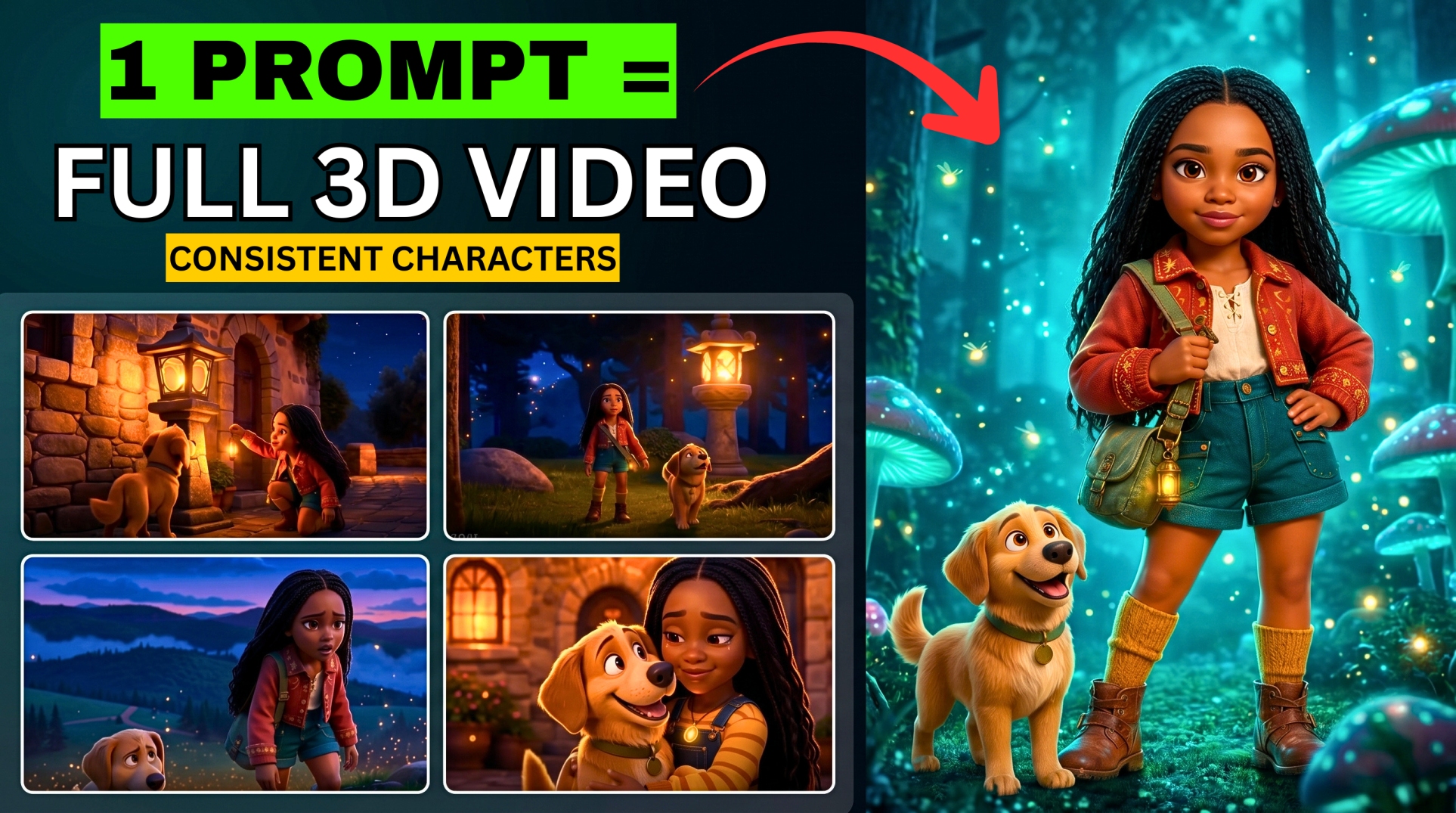
Result: A fully stitched cinematic short film with strict visual continuity from first scene to last — characters, lighting, and environments consistent throughout.
Live Demo 2 — TikTok UGC Ad Rebuild (Frame-by-Frame)
How to Rebuild Any TikTok Ad:
- Start a New Task
- Paste your prompt including the TikTok URL — instruct the AI to extract the hook, box reveal structure, ASMR pacing, text overlay style, and rebuild for your product
- Upload an image of your product to ground the context
- Click Run
- Select your preferred style (example: Classic) and click Continue
Example from the Tutorial:
Original TikTok: AirPods Pro 5 unboxing — box reveal, close-up shots, creator reaction, ASMR pacing, text overlays
Rebuilt for: DJI Mavic 4 Pro Fly More Combo
Result: Complete UGC unboxing ad — box reveal, product close-ups, feature callouts (triple camera, 51-minute flight time, RC Pro 2 controller), ASMR pacing, text overlays — all in the same viral style as the original.
Live Demo 3 — Custom Product Commercial (Your Own Brand)
How to Create a Custom Product Ad:
- Upload your product image to the chat
- Paste your product description prompt
- Click Send — AI generates multiple high-resolution product shots
Then answer the guided questions:
Q: “What format do you prefer?” Options: UGC Ad / Product Demo with Voiceover / Cinematic Short Film
Q: “What should the audio focus on?” Example: “Cinematic ambient gym sounds”
Q: “Whose voice should describe the product?” Select: Male voiceover / Female voiceover / Custom
Click Continue — AI renders the final commercial with voiceover, scenes, and sound design.
What Supercomputer Can Do for Your Entire Business
| Business Function | What Supercomputer Does |
|---|---|
| Product Research | Finds high-margin products easy to promote before you spend a dollar |
| Website Building | Writes code and deploys a live website — not just a mock-up |
| Marketing Content | Generates trend-based content updated every few hours |
| Meta Ads | Integrates with Meta Ads, scales converting creatives, kills underperformers |
| UGC Content Factory | Creates hundreds of UGC ads with different hooks, rotating for lowest CPC |
The full loop from one niche + one prompt: Research → Brand → Live Website → Content Calendar → Active Ads → UGC Factory
No agency. No large team. No software stack. One agent. One loop. One complete business.
Supercomputer Integrations
- Telegram, Google Drive, Google Docs, WhatsApp Business
- Meta Ads (campaign performance + scaling)
- 27 total platform integrations
Why This Changes Everything
| Old Workflow | Supercomputer |
|---|---|
| 5–7 separate tools | One agent |
| Manual copy-paste between tabs | Automatic routing |
| No memory between sessions | Persistent memory |
| Model selection required | Auto-selected per task |
| Inconsistent characters | Soul ID continuity |
| Loses visual context from videos | Frame-by-frame analysis |
| Hours of manual stitching | One prompt |
Found this helpful? Subscribe to BigWizTV on YouTube for more AI workflow breakdowns. Drop a comment — what’s the first project you’d build with Higgsfield Supercomputer?